Online Turf Booking System is a Java web application developed using JSP, Servlet, MySQL, and Eclipse. The project is designed to provide an online platform where users can search for available turfs and book them according to their requirements.
The system is especially useful for cricket and football players who want to find and book a turf online. Users can view available turfs, check their availability, select a suitable time slot, and make a booking. They can also view their previous booking history.
The Admin manages the turf-related information through the administration panel. Admin can add, update, delete, and view turfs, manage turf timings and prices, view registered users, and check bookings.
The project follows the MVC (Model-View-Controller) architecture. JSP is used for the View, Servlet handles server-side requests and responses, and MySQL is used as the backend database.
Online Turf Booking System Project in Java
The Online Turf Booking System Project in Java is an online turf reservation application that makes the process of booking sports turfs easier and more convenient.
In a traditional booking process, players may need to visit the turf location or contact the turf owner to check availability and make a reservation. This project provides an online alternative where users can view turf information and book available slots through a web application.
The system is designed for sports such as cricket and football. Users can search and view available turfs, check their availability, and select a suitable turf for booking.
The Admin can manage turf information, including turf timing and price, and can view the bookings made by users. All important information is stored in the MySQL database, making it easier to maintain user, turf, and booking records.
This project can be useful for students looking for a Java web application project with source code using JSP, Servlet, and MySQL.
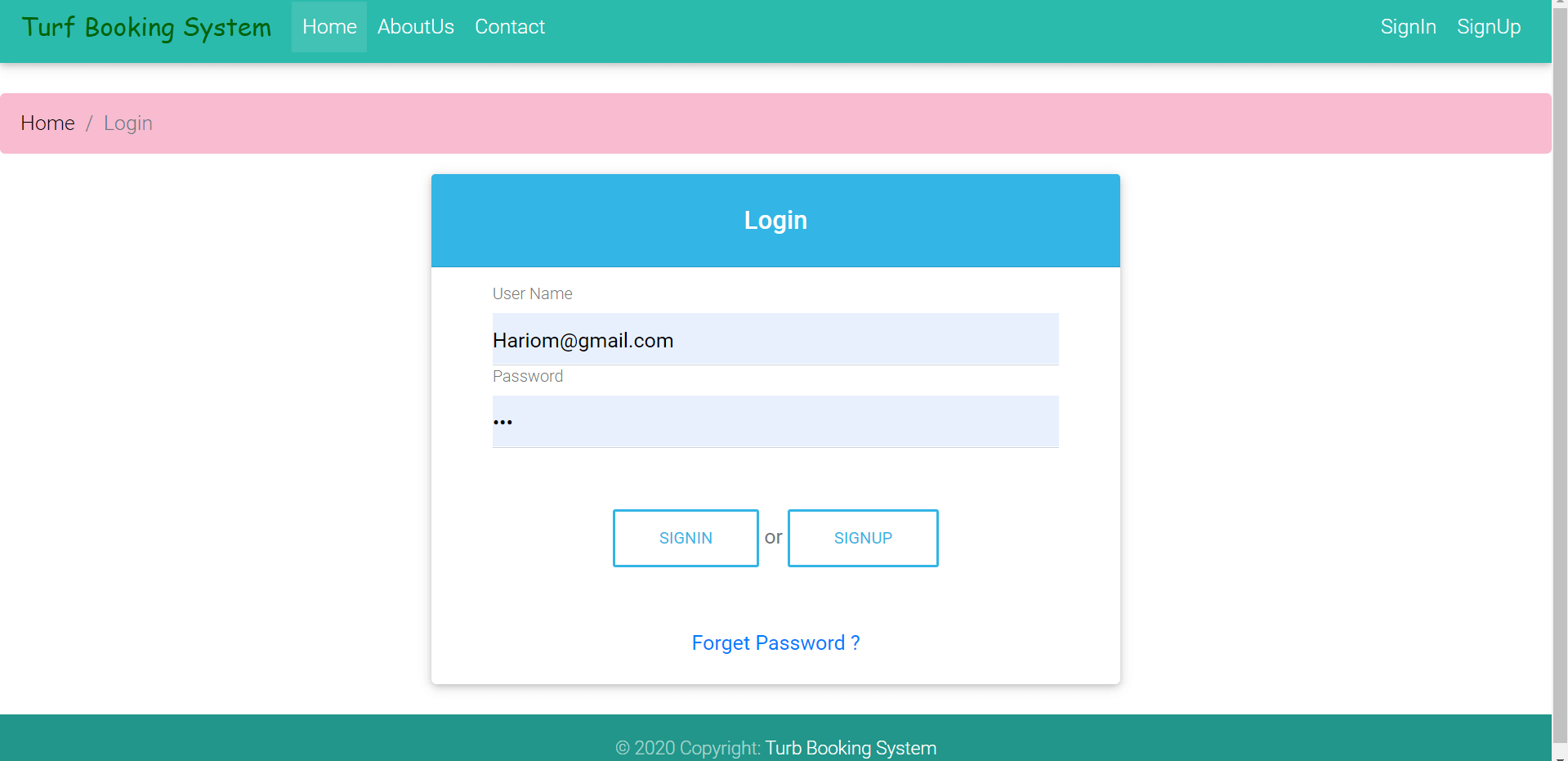
Introduction of Turf Booking System
The Online Turf Booking System is developed to manage the activities involved in online turf booking.
The Admin is responsible for managing the turf and user-related activities. Admin can add new turfs, update turf information, manage timings and prices, and view booking records.
Users or players can use the application to view turf information and check available turfs. They can select a suitable turf according to their requirements and make an online booking.
The application provides a centralized database where information about users, turfs, timings, prices, and bookings can be maintained.
The system can also help turf owners or administrators provide their turf information through an online platform and manage bookings more efficiently.
Objectives of Turf Booking System in Java
The main objective of the Online Turf Booking System is to provide an online platform for searching and booking available sports turfs.
The major objectives of the application are:
- To provide an online turf booking system for players and users.
- To allow users to search and view turf information online.
- To allow users to check turf availability.
- To allow users to book available turfs according to their requirements.
- To maintain turf information in a centralized database.
- To maintain booking history.
- To allow Admin to manage turf information.
- To allow Admin to manage turf timings and prices.
- To allow Admin to view registered users and bookings.
- To reduce the manual process involved in turf booking.
- To provide easy access to turf and booking information.
How the Online Turf Booking System Works
The basic workflow of the application is:
- The Admin adds available turfs to the system.
- Admin provides the required turf information, timing, and price details.
- Users register and log in to the application.
- Users can view the available turf list.
- Users can check turf availability and available timings.
- Users select a suitable turf according to their requirements.
- The user books the selected turf.
- The booking information is stored in the database.
- Users can view their booking history.
- Admin can view the bookings made by users and manage turf information.
This workflow provides an easy way to manage turf reservations through a web-based application.
Modules and Functionalities of Online Turf Booking System
There are two main types of users in the application:
- Admin
- User/Player
Each user has different responsibilities and functionalities.
1. Admin Module
Admin is the main user responsible for managing turf and booking-related activities.
View Registered Users
Admin can view the list of registered users.
This allows the Admin to access information about users who are using the turf booking platform.
Search Users
Admin can search registered users using their:
- Name
- Email ID
This makes it easier to find a particular user from the registered user list.
Turf Management
Admin can manage all available turfs through the administration panel.
Admin can:
- Add new turfs.
- View the turf list.
- Update turf information.
- Delete turfs.
This allows the Admin to keep the turf information up to date.
Manage Turf Timing and Price
Admin can manage the timing and price information associated with the turfs.
Admin can:
- Add or manage turf timing.
- Set turf prices.
- Update turf timing.
- Update turf prices.
- Delete timing and price information when required.
This allows users to view the available turf information before making a booking.
View Bookings
Admin can view booking records made by users.
This helps the Admin keep track of turf reservations and manage the booking information.
2. User/Player Module
The User module allows players and customers to search for turfs and make bookings online.
View Turf List
Users can view the list of available turfs through the application.
They can explore the available options and select a turf according to their requirements.
View Turf Availability
Users can check the availability of turfs and view the available timing information before making a booking.
Book Turf
Users can select an available turf and book it online.
This removes the need for users to manually visit the turf location just to make a booking.
View Booking History
Users can view their previous booking information through the booking history section.
This makes it easier for users to keep track of their turf reservations.
Manage Profile
Users can view and update their profile information.
Change Password
Users can update their account password through the change-password functionality.
Turf Timing and Price Management
Turf timing and pricing are important parts of the booking process.
Admin can manage the timing and price information of the available turfs. Users can then view this information while searching for a suitable turf.
The system stores this information in the database, allowing it to be accessed when users browse and book turfs.
Booking History
The Online Turf Booking System maintains booking information so that users can view their previous bookings.
Admin can also view booking records from the administration panel.
Maintaining booking history makes it easier to track reservations and keep the application’s booking records organized.
Key Features of Online Turf Booking System
Some important features of this Java project include:
- Online turf booking.
- Turf search and listing.
- Turf availability checking.
- Cricket and football turf booking.
- Turf timing management.
- Turf price management.
- Admin and User modules.
- User registration and login.
- User profile management.
- Booking history.
- User search by name and email.
- Turf CRUD operations.
- Booking management.
- MySQL database integration.
- MVC architecture.
CRUD Operations
The project supports CRUD operations for managing application data.
CRUD stands for:
- Create – Add new information.
- Read – View existing information.
- Update – Modify existing information.
- Delete – Remove information.
Admin can use these operations to manage turf information and other records within the application.
MVC Architecture
The Online Turf Booking System follows the MVC (Model-View-Controller) architecture.
Model
The Model handles the application’s business logic and data-related operations. MySQL is used as the backend database to store application information.
View
JSP is used to create the application’s View layer. HTML, CSS, and JavaScript are used to design and enhance the user interface.
Controller
Servlet is used as the Controller. It handles client requests and responses and controls the flow between the user interface and the application’s backend.
The MVC architecture helps separate the presentation, business logic, and request-handling components of the project.
Database
MySQL is used as the backend database for the Online Turf Booking System.
The database stores information related to:
- Admin
- Users
- Turfs
- Turf timings
- Turf prices
- Bookings
- User profiles
- Other required application information
This centralized database makes it easier to manage and retrieve turf booking information.
Tools and Technologies Used
Technology/Domain: Java
Frontend: JSP, HTML, CSS, JavaScript
Server-side: Java Servlet
Database: MySQL
Server: Apache Tomcat 8.5
Development Environment: Eclipse
Architecture: MVC
Project Suitability
The Online Turf Booking System Project in Java can be used as an academic Java web application project. It is suitable for students who want to learn how to develop a booking-based web application using JSP, Servlet, and MySQL.
The project can be useful for:
- BCA students
- MCA students
- Computer Science students
- Information Technology students
- Java web development learners
- Minor project development
- Major/final-year project development
Students can learn practical concepts such as user authentication, CRUD operations, database management, MVC architecture, search functionality, availability management, and online booking workflows.
Demo of Online Turf Booking System
You can watch the project demo to understand the working of the Online Turf Booking System and its different modules:
Java Web Project Configuration Tutorial
If you want to configure and run this Java web project on your computer, you can follow the Java Web Project Configuration Tutorial:
https://codebun.com/java-web-project-configuration/
This tutorial provides guidance for configuring and running Java web application projects.
Free Project Source Code and Project Report
The Online Turf Booking System Project in Java is available with free project source code. Students can use the source code to understand the project structure and learn how JSP, Servlet, and MySQL can be used to build an online booking system.
The project can also be customized according to academic requirements and used as a reference for developing similar sports booking or reservation applications.
Get Free Source Code on GitHub
You can get the free source code of the Online Turf Booking System Project from GitHub:
