The Online Bus Ticket Booking Project is a web-based application developed using Spring Boot, Hibernate, JSP, MySQL, HTML, CSS, and Bootstrap. The main purpose of this project is to simplify the process of searching for buses, checking seat availability, and booking bus tickets online.
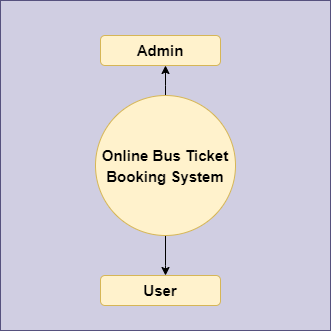
The application provides separate modules for Admin and Users. The Admin can manage buses, routes, fares, seat availability, users, and bookings, while users can register, search for available buses, book tickets, and view their booking details.
This project follows the MVC (Model-View-Controller) architecture, making the application easier to develop, maintain, and extend.
User Role
The Online Bus Ticket Booking System is a multi-role web application consisting primarily of two roles:
- Admin
- User
The Admin is responsible for managing the overall system. Admin can add, update, and remove bus information, manage routes and fares, check seat availability, and manage user bookings.
The User can register and log in to the application, search for buses based on their journey requirements, check availability, book tickets, and view their booking history.
The application uses Spring Boot for backend development, Spring MVC for application architecture, Hibernate for database interaction, JSP/JSTL for server-side views, and MySQL for data storage.
Online Bus Ticket Booking Abstract
With the increasing use of online services, users prefer digital solutions for everyday activities such as shopping, reservations, and ticket booking. Traditional bus ticket booking often requires users to visit a reservation centre or contact a booking agent.
The Online Bus Ticket Booking System provides a convenient web-based solution that allows users to search for buses and book tickets online.
The system provides two major roles. The Admin manages the overall application, including buses, routes, fares, seat availability, users, and bookings. The User can create an account, search for buses, check available seats, book tickets, and manage their booking information.
The system maintains important records such as user information, bus details, journey information, and booking history in a centralised database. This makes the information easier to manage and retrieve whenever required.
Objectives of the Project
The major objectives of the Online Bus Ticket Booking System are:
- To provide an easy-to-use online platform for bus ticket booking.
- To reduce the manual effort involved in managing bus reservations.
- To allow users to search for buses and check their availability online.
- To maintain records of users, buses, routes, seats, and bookings efficiently.
- To provide administrators with a centralised system for managing bus services and bookings.
- To make the overall bus ticket booking process faster and more convenient.
Modules of Online Bus Ticket Booking Project
1. Admin Module
The Admin Module allows administrators to manage and monitor the overall application.
Admin can:
- Log in and log out of the system.
- Add, update, and remove bus information.
- Manage bus routes and journey details.
- Manage ticket prices and fares.
- Check seat availability.
- View user bookings.
- Confirm or cancel bookings.
- Manage registered users.
- View booking and payment-related information.
- Manage the admin profile.
2. User Module
The User Module allows customers to register and use the ticket booking functionality.
Users can:
- Register for an account.
- Log in and log out.
- Manage their profile.
- Search for available buses.
- View bus and journey details.
- Check seat availability.
- Book bus tickets.
- Cancel bookings where applicable.
- View booking history.
- Check booking/payment status.
- Change their password.
3. Bus Search Module
The Bus Search Module allows users to search for buses based on their journey requirements.
Users can search for available buses by providing information such as:
- Source
- Destination
- Journey date
- Bus details
The system displays the available buses along with relevant journey and fare information.
4. Booking Module
The Booking Module handles the ticket reservation process.
Users can select an available bus, check the available seats, provide the required passenger information, and complete the booking process.
The system stores the booking details so that users and administrators can access them later.
5. Payment Module
The Payment Module is responsible for handling payment-related information associated with ticket bookings.
Users can view the applicable fare and payment status related to their booking.
The exact payment functionality depends on the implementation/version of the project.
6. Seat Availability Module
The Seat Availability Module helps users determine whether seats are available for a particular bus and journey.
The system maintains the availability information so users can select an available seat while making a booking.
7. User Management Module
The Admin can manage registered users and access relevant user information such as:
- User name
- Contact information
- Booking details
- Journey details
- Booking history
Demo Video
Flow Diagram of Online Bus Ticket Booking Project


Technology Stack
- Spring Boot: For rapid development of the application with minimal configuration.
- Hibernate: For object-relational mapping (ORM) and database interactions.
- Spring MVC: To implement the Model-View-Controller architecture.
- JSP and JSTL: As the template engine for server-side rendering.
- MySQL: As the relational database to store and manage data.
- HTML: To define the frontend elements.
- Bootstrap and CSS: For Styling.
- Server: Tomcat(For localhost deployment).
Project Architecture
The application follows the MVC architecture:
Model: Represents application data and database entities.
View: JSP, HTML, CSS, and Bootstrap are used to create the user interface.
Controller: Spring MVC controllers handle HTTP requests, process application logic, and return appropriate views.
Database Layer: Hibernate is used to perform ORM-based database operations with MySQL.
This architecture provides a clear separation between the application’s presentation, business, and data-access layers.
Database
The application uses MySQL as its relational database.
The database stores information related to:
- Users
- Admin
- Buses
- Routes
- Seats
- Bookings
- Passenger details
- Payment information
- Booking history
The exact tables and relationships may vary depending on the project version.
Source Code
The complete source code of the Online Bus Ticket Booking Project is available on GitHub:
https://github.com/jcodebun/bus-ticket-booking-in-sbspring-boot-project.git
Project Configuration and Setup
To configure and run the Online Bus Ticket Booking Project on your local Windows machine, follow our step-by-step Spring Boot Project Configuration Tutorial.
The configuration guide explains how to:
- Install and configure Eclipse.
- Set up the required JDK.
- Import the project as an Existing Maven Project.
- Configure the required Eclipse plugins.
- Install and configure Lombok, if required.
- Install and configure MySQL Server and MySQL Workbench.
- Import the project database into MySQL.
- Configure the database details in the
application.propertiesfile. - Update Maven dependencies.
- Run the Spring Boot project on localhost.
Step-by-Step Configuration Guide
Follow the complete configuration tutorial here:
Spring Boot Project Configuration Tutorial
Important: Please follow the configuration steps carefully before running the project. Make sure the MySQL database is configured correctly and the database connection details in the project match your local MySQL setup.
