Environment Survey Project in Java using JSP, Servlet, and MySQL is a web-based application designed to conduct surveys online and reduce paper consumption. The project provides an online survey portal where students and faculty can participate in surveys, while the Admin can manage surveys, participants, competitions, FAQs, and other information.
The Environment Survey Portal helps move the survey process from manual paperwork to an online platform. It allows survey-related records to be maintained digitally, making the information easier to access and manage.
The project performs CRUD (Create, Read, Update, and Delete) operations and follows the MVC (Model-View-Controller) architecture. JSP is used for the View layer, Servlet handles server-side requests, and MySQL is used as the backend database.
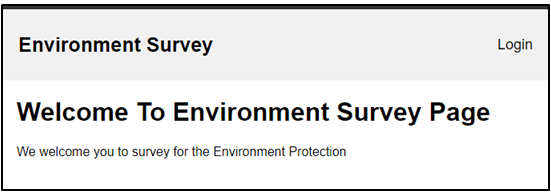
Environment Survey Project in Java
The Environment Survey Portal project in Java is designed to provide an online platform for conducting and managing surveys. The system supports three main types of users: Admin, Student, and Faculty.
The Admin manages the overall portal and can create and manage surveys, faculty/staff information, competitions, FAQs, and student survey records.
Students can participate in surveys, view competition information, manage seminar details, access FAQs, and report issues.
Faculty members can create and manage surveys for students, view surveys created by the Admin, add competitions, and view surveys completed by students.
The system reduces the need for manually maintaining survey records and provides an organized way to manage survey-related information online.
Objectives of Environment Survey Portal
The major objectives of the Environment Survey Portal are:
- To provide an online platform for conducting surveys.
- To reduce paper consumption during the survey process.
- To allow students and faculty to participate in surveys online.
- To maintain student participant records digitally.
- To provide competition-related information to students.
- To allow Admins and Faculty to manage surveys.
- To make survey information easier to access and manage.
- To provide FAQs and support information for users.
- To reduce the need for manual record maintenance.
How the Environment Survey System Works
The Environment Survey Portal provides different functionalities according to the user’s role.
The general workflow is:
- Users access the Environment Survey Portal through the web application.
- The Admin manages surveys, faculty/staff, competitions, FAQs, and registration requests.
- Faculty members can create surveys and competitions for students.
- Students can view available competitions and participate in surveys.
- Students can maintain seminar information and submit issues through the support functionality.
- Completed survey information is stored in the MySQL database.
- Admin and Faculty can view survey responses submitted by students.
This online process helps organize survey activities and reduces dependency on paper-based surveys.
Modules and Functionalities of Environment Survey Project
There are three main actors in the application:
- Admin
- Student
- Faculty
Admin Module
The Admin manages the main activities of the Environment Survey Portal.
Admin functionalities include:
- Add survey information.
- View survey information.
- Update survey information.
- Delete survey information.
- Add, view, update, and delete Faculty/Staff information.
- Accept user registration requests.
- Add competition information.
- View surveys completed by students.
- Access the Support page for issues reported by users.
- Add FAQ information.
- View FAQ information.
- Update FAQ information.
Student Module
The Student module allows students to participate in surveys and access information available through the portal.
Student functionalities include:
- View competition information.
- Take surveys online.
- Add seminar information attended by the student.
- View seminar information.
- View Contact Us information.
- Report issues through the support functionality.
- View FAQs.
- View personal profile.
- Update personal profile.
Faculty Module
Faculty members can manage surveys and competition-related information for students.
Faculty functionalities include:
- Add surveys for students.
- View surveys.
- Update surveys.
- Delete surveys.
- View surveys added by the Admin.
- Add competition information for students.
- View surveys completed by students.
Online Survey Management
The survey management module is one of the main components of the project.
The Admin can create, view, update, and delete surveys. Faculty members can also create and manage surveys for students.
Students can access the available surveys and submit their responses online. Survey information can then be viewed by authorized Admin and Faculty users.
Competition Management
The system provides competition-related information for students. The Admin and Faculty can add competition information, while students can view the available competitions through the portal.
This provides a centralized place for students to access competition information.
Student Seminar Management
Students can add and view information about seminars they have attended. This provides a digital way to maintain seminar-related information within the application.
Support and FAQ Module
The portal includes support and FAQ functionality to help users find information and report issues.
Students can view Contact Us information and report issues they face while using the application. The Admin can access the support page to review issues reported by users.
The Admin can also add and update FAQs, while students can view the available FAQs.
User Registration Management
The Admin can review and accept user registration requests. This provides the Admin with control over user registration before allowing users to access the relevant functionality of the system.
CRUD Operations
The Environment Survey Project performs CRUD operations for managing important records.
CRUD stands for:
- Create – Add new records.
- Read – View existing records.
- Update – Modify existing records.
- Delete – Remove records.
CRUD functionality is used for managing surveys and other information handled by the Admin and Faculty modules.
MVC Architecture
The Environment Survey Project follows the MVC architecture to separate the application’s presentation, request handling, and data management.
Model
The Model layer manages the application’s data and database-related operations. MySQL is used to store survey and other system records.
View
JSP, HTML, CSS, and JavaScript are used to create the application’s user interface. Users interact with the system through these web pages.
Controller
Servlet is used as the Controller. It receives requests from users, processes the required operations, and communicates with the Model and View layers.
The MVC architecture helps keep the application organized and makes it easier to maintain.
Database Management
MySQL is used as the backend database for the project. It stores information required by the application, including survey records, student participants, faculty/staff information, competitions, FAQs, and other application data.
The system uses database operations to add, retrieve, update, and delete information as required.
Key Features of Environment Survey Project
- Online survey management.
- Reduced dependency on paper-based surveys.
- Separate Admin, Student, and Faculty modules.
- Survey CRUD operations.
- Faculty survey management.
- Online student survey participation.
- Competition information management.
- Student seminar information.
- Student registration request management.
- FAQ management.
- Support and issue reporting.
- Profile management.
- MySQL database integration.
- MVC architecture.
- JSP and Servlet-based Java web application.
Technologies Used in Environment Survey Project
Frontend: JSP, HTML, CSS, JavaScript
Server-side: Servlet
Backend: MySQL
Server: Apache Tomcat 8.5
Architecture: MVC
Project Suitability for Students
The Environment Survey Project is suitable for CS and IT students who want to learn how to develop a Java-based web application using JSP, Servlet, and MySQL.
It can be used as a minor or major project depending on the requirements of the course or college.
Students can learn practical concepts such as:
- Java web application development
- JSP
- Servlet
- MySQL database
- CRUD operations
- MVC architecture
- User role management
- Online survey management
- Database-driven web applications
- Running JSP and Servlet projects using Apache Tomcat
The project can also be useful for students preparing project reports, demonstrations, and viva presentations.
Project Demo
Watch the Environment Survey Project demonstration:
Java Web Project Configuration Tutorial
To learn how to configure and run a Java web project using JSP, Servlet, MySQL, and Tomcat, check the complete Java Web Project Configuration Tutorial:
https://codebun.com/java-web-project-configuration/
Viva Questions and Answers for Java Project
Students preparing for their project viva can also refer to:
https://codebun.com/viva-questions-and-answer-for-java-project/
Free Project Source Code and Project Report
You can get the Free Project Source Code for the Environment Survey Project from GitHub:
https://github.com/jcodebun/Envrionment-survey-project-in-java.git
The source code can help students understand the implementation of JSP, Servlet, MySQL, CRUD operations, MVC architecture, and role-based modules in a Java web application.
Project resources such as the database, project report, ER diagrams, and DFD diagrams can also be provided with the project where applicable. Remote support is available to help with project configuration and setup.
Check More Java Projects with Source Code
Explore more Java projects with source code:
https://codebun.com/category/complete-java-project-with-source-code/
